 Underwater-Photoshop :: ACR Adobe Camera Raw :: Sharpening Underwater-Photoshop :: ACR Adobe Camera Raw :: Sharpening
Adobe Camera Raw Sharpening
|

|
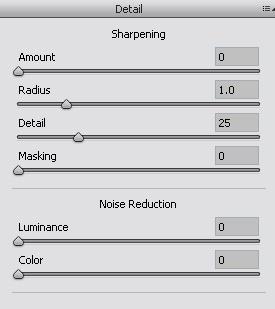 Finally, you may want to sharpen your image.
If your image looks a little soft
CS5
provides some powerful tools to sharpen it up.
 Sharpening should be done after all other corrections are made.
Camera Raw always applies some sharpening by default. We’ll have a look at
changing that later in the lesson.
The second golden rule for sharpening is to always preview at 100% or greater otherwise the
sharpening adjustments will not be visible!
Your target print service determines exactly what style of sharpening you use, as
it will always be

Next >> Saving
Psssst! Have you seen our U/W Photo course yet? It's the best course to learn underwater photography the easy way online.
|