 Underwater-Photoshop :: Getting Started Underwater-Photoshop :: Getting Started
Getting Started
|

|
Before we
familiarize
ourselves with the Adobe Photoshop workspace, lets just take a minute to check that
we have the correct settings for our working space. This can be done in
 Adobe Bridge
from the Edit
Adobe Bridge
from the Edit
 Creative
Color
Suite settings
Creative
Color
Suite settings
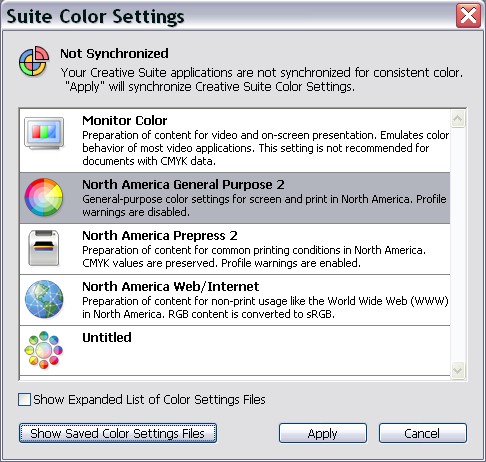
From Photoshop
CS5
go to Edit
Color
Settings. The point of this is to synchronise your settings across the whole
of the Adobe suite.

It is especially important if you are going to send your images out to a print service
to select RGB profile in the settings menu. Select North America pre-press 2 under
working spaces select Adobe RGB 1998 for CMYK. You could
select US Web under
gray
dot gain 20% spot dot gain 20%
color, management policy is keep the default preserve in many profiles. Tick the profile
mismatches check box ‘at the bottom of the dialogue’ this will warn
you when something in wrong. This is a recommendation only, check with your print
service provider if they have any special requirements.

Next >> Preferences
Psssst! Have you seen our U/W Photo course yet? It's the best course to learn underwater photography the easy way online.
|